Key Management
Software
Know who holds each key and when it is due back. Your team records each key that it issues and returns, so your organization can account for each one.
See Key Management in Action
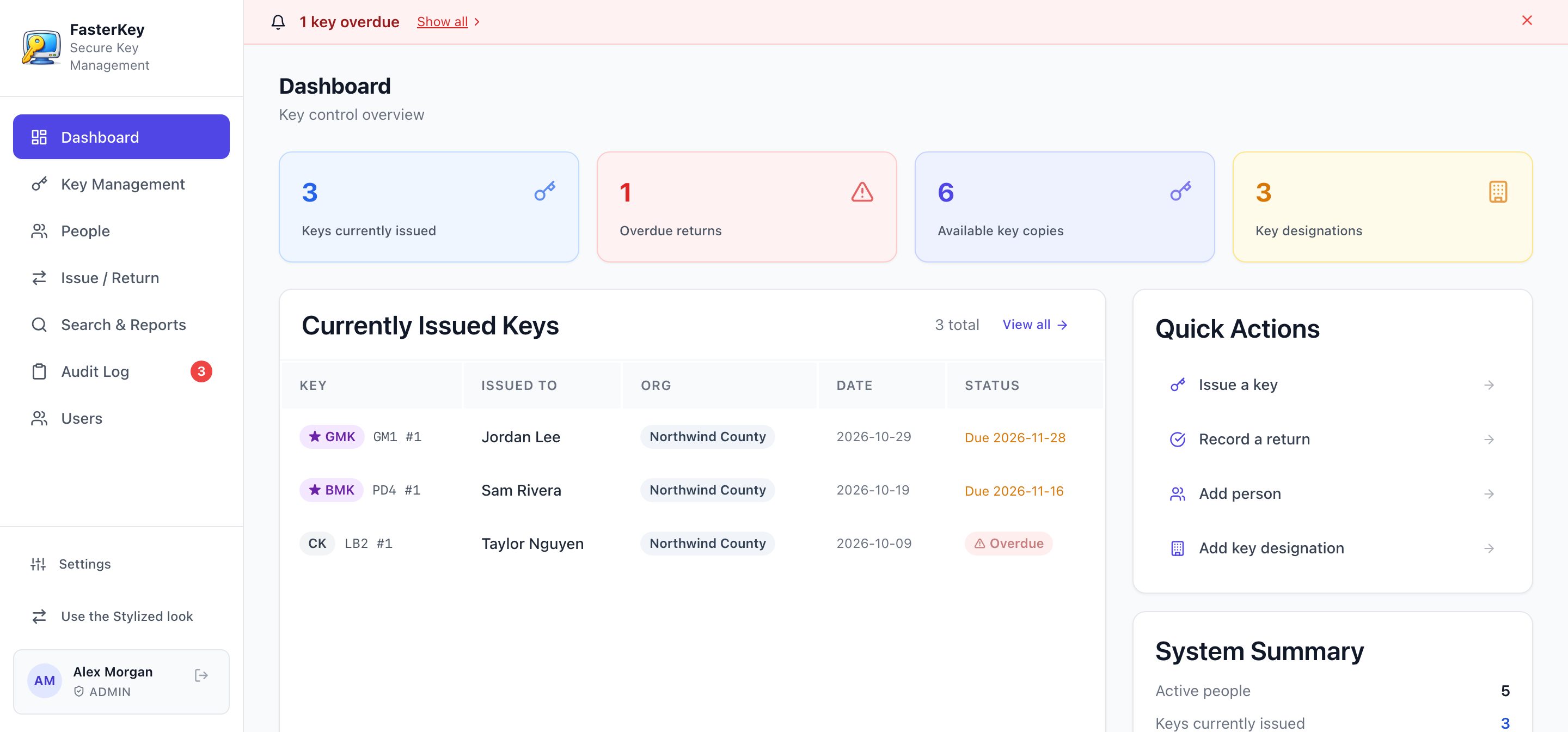
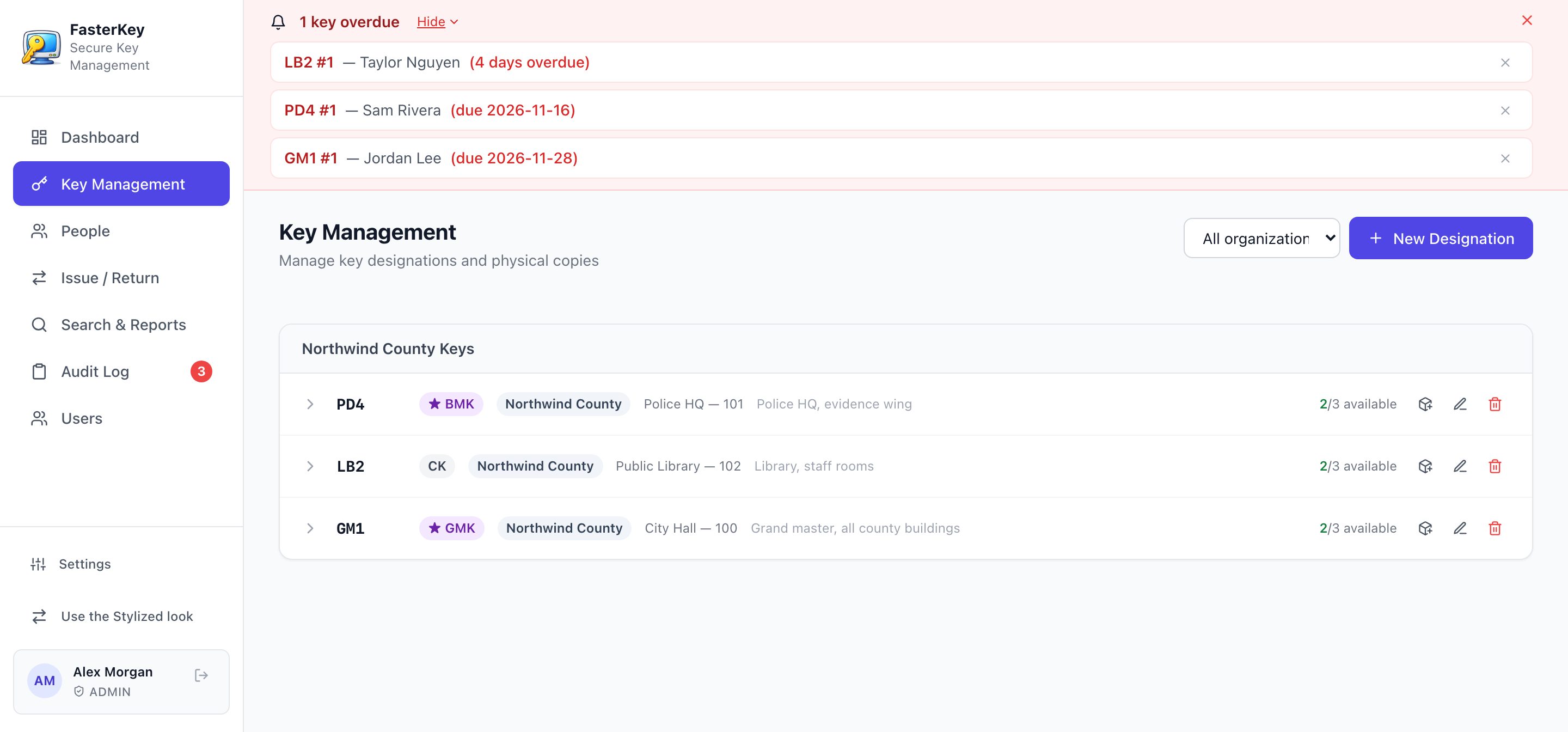
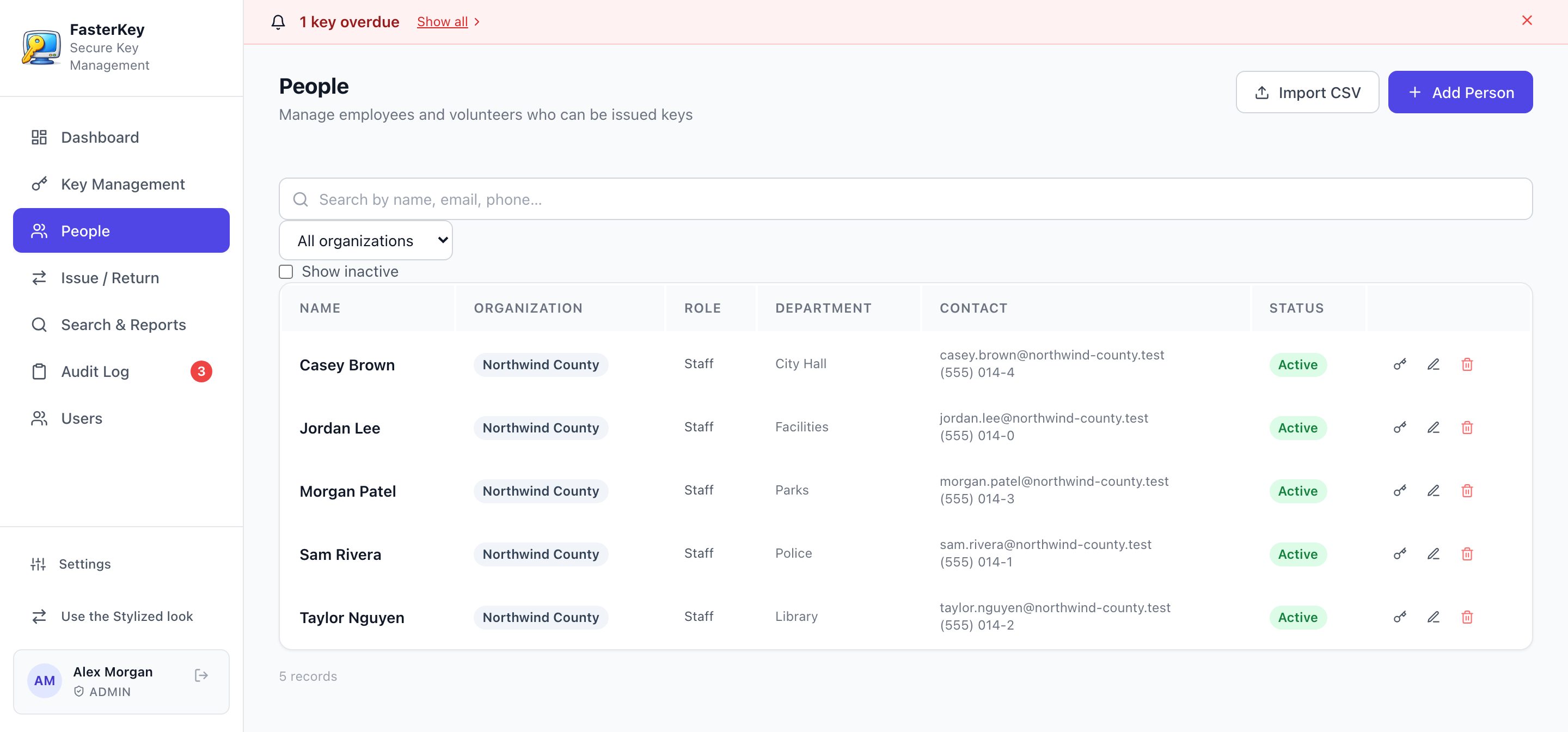
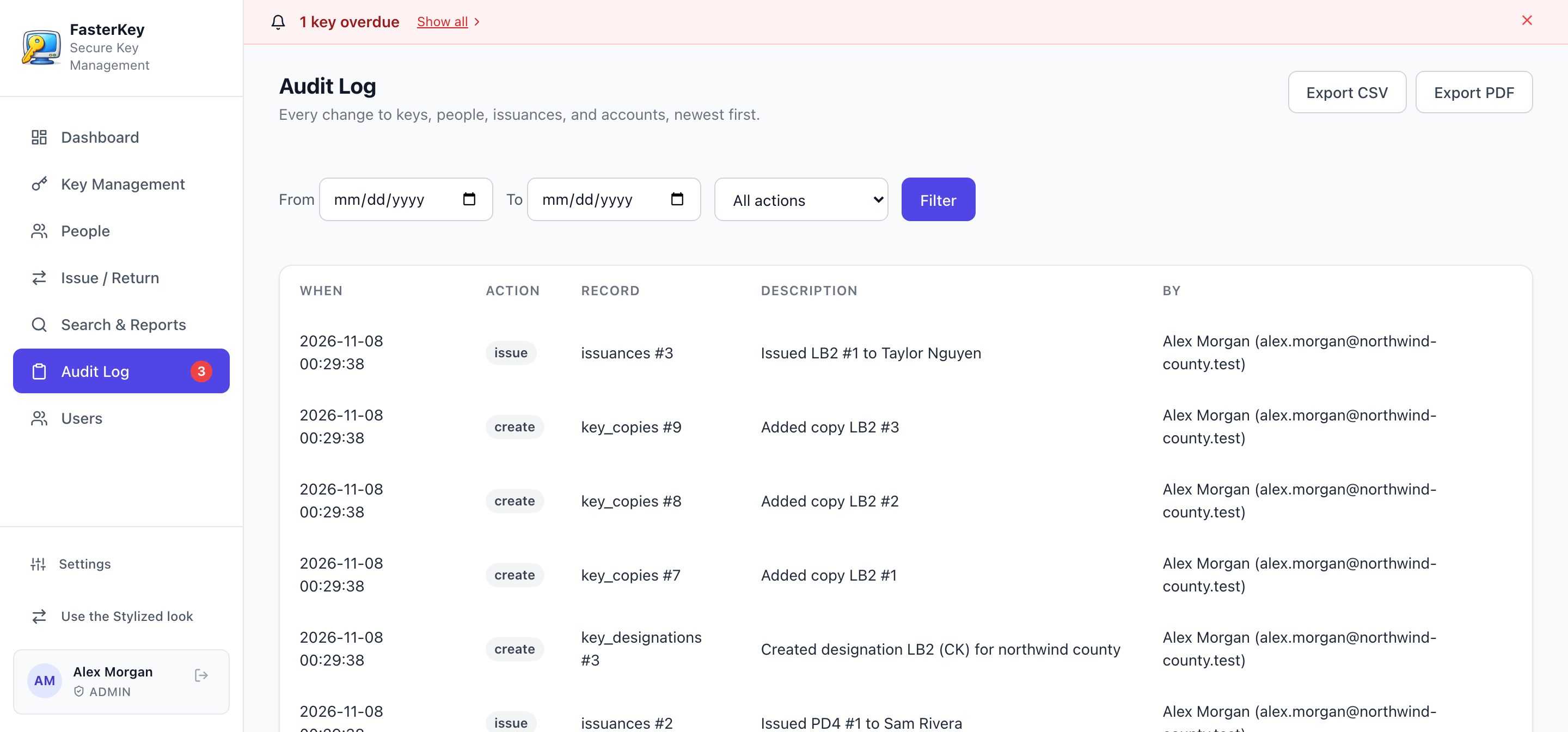
A look inside Key Management.
Each person chooses the look that they like in their own settings.
How This Serves You
What our key management software does for you and for your team.
See each key that is out, the person who has it, and the date it is due back.
Overdue keys show at the top of each page. You know whom to call.
Print a receipt when you issue a key. The key holder signs it.
Manage each level, from grand master to change key. Each physical copy has its own number.
When you know where each key is, you replace fewer locks after people leave.
The audit log records who did what, and when. Export it to PDF or CSV.
Four Steps From Key to Record
Your team can learn it in one session. It fits the way that you issue keys now.
Register Keys
Enter each key designation and its physical copies. Each copy gets its own number.
Issue Keys
Choose the person and the key copy, and set a return date. Print the receipt for a signature.
Track & Monitor
The dashboard shows each key that is out and each key that is overdue.
Return & Report
Record the return. Search the full history, and export reports to PDF or CSV.
Records You Can Rely On
When someone asks who had a key, you have the answer and the record.
Permanent Audit Log
The system records each change with the name of the person and the time. Nobody can edit or delete an entry in the log.
Access by Role
Each person gets a role: admin, editor, or read-only auditor. The role controls what the person can change.
Reports for Your Auditors
Export the audit log and key reports to PDF or CSV. Give auditors their own read-only access.
Use It With the Rest of ATD
All ATD management software uses one sign-in and one bill. Add a product from your dashboard when you need it.
Questions About Key Management
What is key management software?
Key management software, also called key control software, records each physical key that your organization issues and gets back. It shows who holds each key, when it is due back, and which doors it opens.
Do we need a key cabinet?
No. ATD Key Management is software. It works with the key storage that you use now. You do not have to buy a key cabinet.
How do we get overdue keys back?
Overdue keys show at the top of each page, with the name of the person who has each key. You know whom to call.
Can it manage a master key system?
Yes. Record each key level, from grand master to change key, and each physical copy with its own number.
Is it for property managers and short-term rentals?
Yes. It is made for property managers, short-term rental hosts, campuses, hospitals, and public agencies that must know who has each key.
How much does it cost?
$40 per user each month, or $40 each month with yearly billing. You can buy 3 to 10 users on this site. For more users, we set up a custom order. Calculate your price.
How does it compare? Read Key control software vs key cabinets, our own comparison.
Take Control of Your Keys
$40 per user each month, or $40 each month with yearly billing. No setup fees.